The Rotting Library: Why Your SOPs Are Dying and How to Keep Them Alive
There is a digital graveyard in your company’s shared drive. It is a folder labeled “Standard Operating Procedures” or “Training Manuals.” Inside that folder are hundreds of documents. They have titles like “Social Media Strategy 2019” or “New Client Onboarding v2_FINAL.”
Nobody opens these files. Nobody trusts them. If a new hire asks how to do something, your senior staff says, “Don’t look at the manual, it’s outdated. Just watch me.”
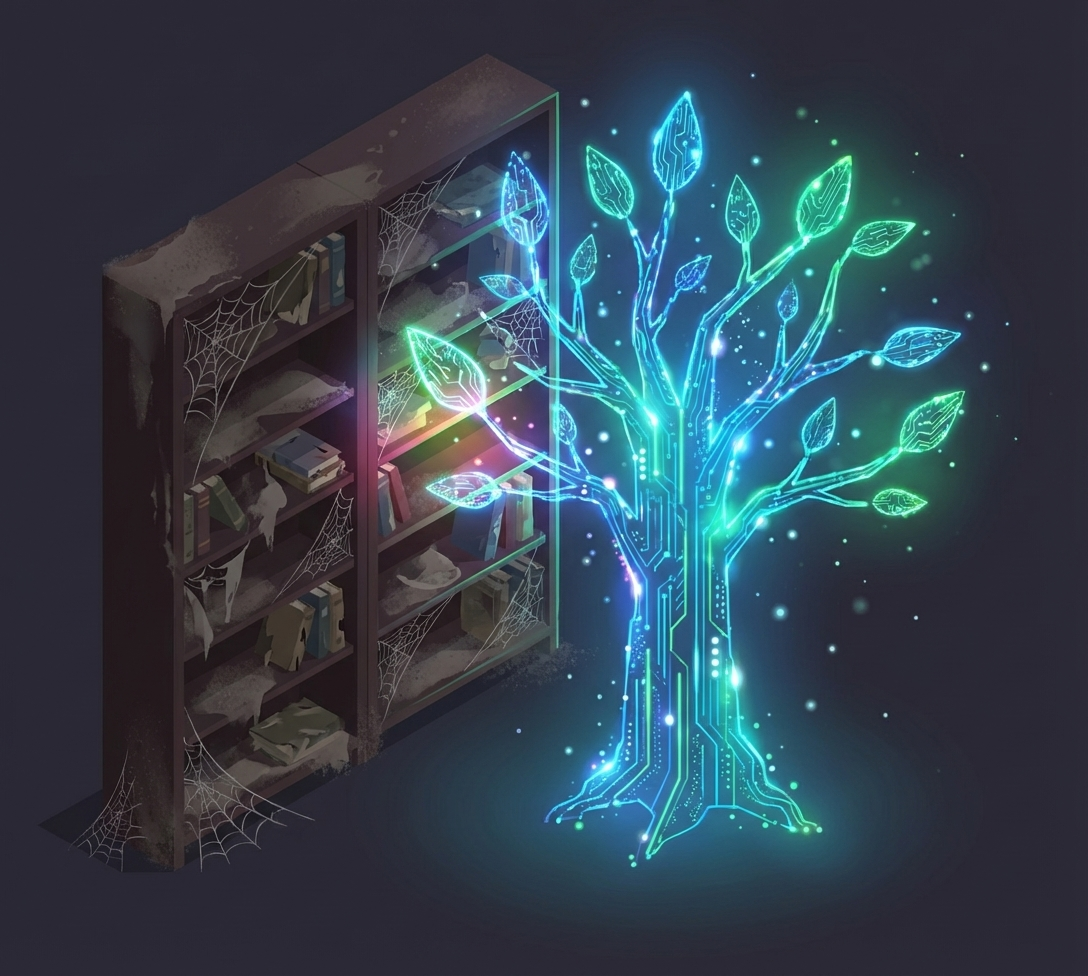
This is the Rotting Library problem. We treat documentation as a project. We spend weeks writing it, we finish it, we high-five, and then we ignore it. Meanwhile, the business moves on. The software interface changes. The pricing model updates. The best practices evolve.
Within six months, the gap between the documented process and the actual process is so wide that the documentation is not just useless—it is dangerous. It leads people astray.
We need to stop writing documents and start building a living nervous system. We need to move from the static paradigm of the printing press to the dynamic paradigm of the digital age. And we need to use AI to make sure that our “source of truth” actually tells the truth.
The Fallacy of “Done”
The root cause of the Rotting Library is the psychological desire for completion. We want to check the box. We want to say, “The manual is done.”
But a business process is never done. It is a living organism. It adapts to the market. It adapts to new tools. It adapts to customer feedback.
When we lock a process into a PDF, we are killing it. We are taking a snapshot of a moving train and expecting that snapshot to tell us where the train is going next week.
We need to shift our mindset from “Architecture” to “Gardening.” An architect builds a building and walks away. A gardener plants a garden and tends to it every day. You weed. You prune. You water.
Your SOPs are plants. If you don’t water them, they die.
The Friction of the Update
Why don’t we update our docs? Because it is hard. To update a PDF, you have to find the source file, edit it, re-export it, upload it, and tell everyone there is a new version.
The friction is too high. So we let the small changes slide. “I’ll just tell the team on Slack that the button moved.”
But those Slack messages disappear. And six months later, a new hire reads the old doc and gets confused.
To keep SOPs alive, we must lower the friction of updating to near zero. We need systems where the person doing the work can update the instruction in real-time.
This means moving away from Word docs and towards wiki-style platforms like Notion, Guru, or specialized knowledge base tools. These tools allow for “inline editing.” You see a mistake, you fix it. No export. No upload. The truth is updated instantly for everyone.
AI as the Content Gardener
But even with better tools, humans are lazy. We forget to update. We are busy.
This is where AI enters the chat. We can now use AI not just to write the docs, but to maintain them.
Imagine a system that watches your Slack channels. When it sees the team discussing a change in the process—“Hey guys, we are using the new link for Zoom now”—the AI flags it.
It sends a ping to the owner of the “Meeting Protocols” SOP. “It looks like the Zoom link has changed. Should I update this document?”
You click “Yes.” The AI updates the doc.
This is the future of knowledge management. It is proactive. It monitors the “exhaust” of your daily work—your chats, your emails, your Loom videos—and uses that data to keep the core library fresh.
The Feedback Loop of Usage
Another way to keep SOPs alive is to track how they are used. Most old-school manuals give you zero data. You don’t know if anyone read page 42.
Modern tools give you analytics. You can see that “How to Process a Refund” was viewed 50 times this week, but “How to Archive a File” was viewed zero times.
This data tells you what matters. If a doc hasn’t been viewed in a year, archive it. It is clutter. It is noise.
If a doc is viewed constantly but has a low “helpful” rating (thumbs down), that is a red alert. It means the process is broken or the explanation is confusing. It tells you exactly where to focus your gardening efforts.
The Comment Section is Gold
Static documents are monologues. Living documents are dialogues.
Enable comments on your SOPs. Allow your new hires to ask questions right in the margin. “This step is confusing. Do I click the blue button or the red one?”
That question is not an annoyance. It is a bug report. It tells you exactly where the documentation failed.
When you answer the question in the comments, you should also update the main text. “Click the blue button (Note: In the old version this was red).”
By integrating the Q&A into the content, the document gets smarter every time someone uses it. It learns from the confusion of the user.
Version Control for Humans
One fear about “living documents” is chaos. If anyone can change anything, how do we know what is true?
You need a governance layer. You need “Owners.” Every SOP must have a human owner. If Bob owns the Sales Script, anyone can suggest an edit, but Bob has to approve it.
This creates accountability. Bob knows that if the Sales Script is outdated, it is on him. It is part of his job description.
You can also set “Expiration Dates.” Set a rule that every SOP must be reviewed every 90 days. The system pings the owner. “Is this still accurate?” They just have to click “Verified.”
This simple act creates trust. When a user sees “Verified 3 days ago,” they trust the instruction. When they see “Last updated 2019,” they ignore it.
The Culture of the Living Book
Ultimately, this is a cultural shift. You have to stop rewarding people for writing big manuals and start rewarding people for maintaining small ones.
You have to celebrate the “Gardener.” When someone updates a process to reflect a new reality, publicly thank them. “Thanks to Sarah for updating the onboarding doc so the next hire won’t get stuck.”
This signals that accuracy is a core value. It signals that we care about the experience of the person coming after us.
Your business is not a statue carved in stone. It is a river. Your documentation should flow with it. Don’t build a dam. Build a boat.