3 seats free

Feature · Step 01 · Documents

Upload one document.
Get a working module in about five minutes.

Step one of the HeyLoopy flow. You bring a document your team should remember. Loopy turns it into the drill set your team practices on, then keeps it in sync with your source. This page walks through what we accept, how it's stored, and what happens when the source document changes.

§ 01 · What you can upload

Documents your team already has. No re-authoring required.

An SOP, a policy memo, a service manual chapter, an HR handbook section, a quality procedure. A public reference like a FFIEC examination-manual section, an OSHA standard, a Joint Commission bundle, or any equivalent in your regulator's library. If the document is the thing your team should remember, it goes in the same way.

Format accepted

PDF only today. Text-based PDFs, not scanned-image PDFs. Tables and lists in the PDF are preserved; embedded images and charts are kept in the stored source but are not used in drill drafting. DOCX, Markdown, and plain text are on the roadmap; PDF is what ships today.

Size and length

Practically: anywhere from a one-page memo to a fifty-page service manual chapter. Longer documents are split into passages so each drill is anchored to a specific section of source material your learner can return to.

What we don't accept

Scanned-image PDFs without embedded text. Spreadsheets-as-procedure (Excel-shaped SOPs). Video transcripts. PHI or other regulated personal data: we are not designed for it. See trust and data residency.

§ 02 · What happens after upload

Your document becomes a module. Loopy drafts the drills in about five minutes.

Upload completes in under a minute for a typical SOP. Within the next few minutes, Loopy reads the document, identifies the passages worth drilling, and drafts a set of short questions tied to each. By the time you finish your coffee, the module is ready for your review.

You're not waiting on a content team. You're not waiting on a drafting cycle. The mechanic is: drop the document in, wait a few minutes, review what Loopy wrote, ship to your group. See how Loopy drafts the drills (Step 2) for the drafting half, and drill quality control for the review-and-edit pass.

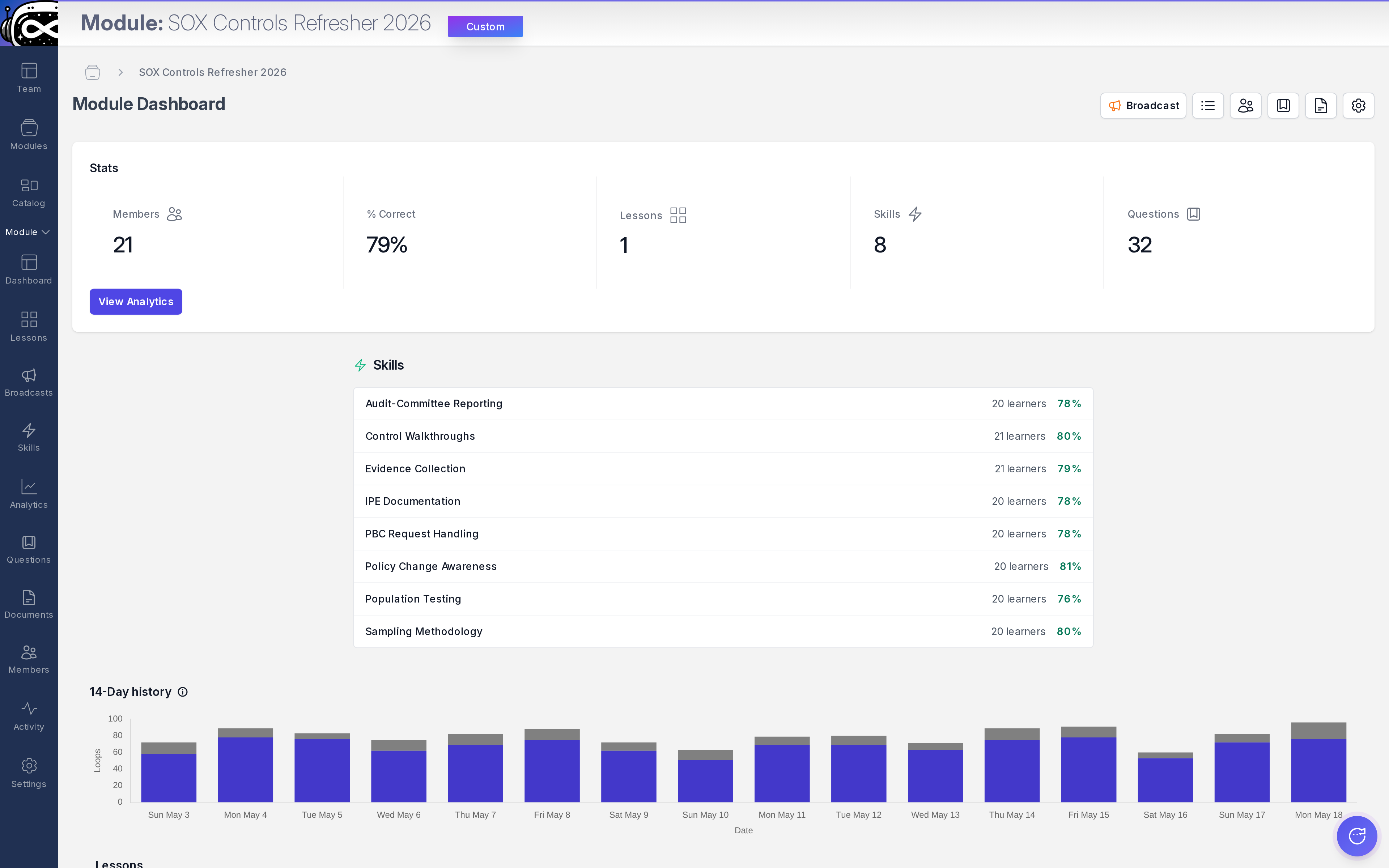
Admin · Module dashboard The module dashboard: every document you've uploaded, every module it became.
heyloopy.com/admin/modules
HeyLoopy module dashboard: a list of uploaded documents and the modules generated from each, with mastery and assignment status per module.
§ 03 · What happens when the source document changes

Edit a module. The drills regenerate in minutes.

Procedures change. A typology gets updated. The standard gets revised. A new clinical bundle lands. When you edit the source document — replace a section, add a new procedure, swap a paragraph — Loopy regenerates the affected drills on the same fast cycle as the initial drafting. Old drills stay in the historical record. New drills queue for your review in the same dashboard.

Mastery resets on the affected skill when the source changes. That's by design: if the procedure is new, the team has not yet practiced it. The mastery heatmap immediately shows the affected column as pale across every assigned learner, which is the artifact your audit team needs to answer "when did the front line learn the updated procedure?"

Documents are versioned

Every change is timestamped. The drill records reference the document version that generated them. When the auditor asks which version of the SOP the team was trained on in March, the answer is one click away.

Drills track their parent passage

Each drill knows which passage of which document version it came from. When a learner gets a drill wrong, they can be sent back to the exact passage that explains the answer. The drill is never decoupled from the source.

§ 04 · Where your documents live

In your account. Encrypted. Not used to train any model.

Your document stays in your account. It is encrypted at rest on AWS us-east-1, accessible only to your administrators and to Loopy itself for the purposes of generating and scoring drills. It is never used to train HeyLoopy's models, never used to train any third-party AI provider's models, and never shared with other customers in any form.

If you delete a document, the source is removed from active systems within 30 days. The drill records derived from it can be retained on request for audit-lookback purposes, with the source-document version preserved as evidence even after the source itself is gone. Full policy in the privacy policy; the buyer-mental-model version is on trust and data residency.

§ 05 · Three example uploads

What gets uploaded in practice.

Compliance officer

The current month's typology update. A two-page memo. Uploaded at 9:05am; drafted drills ready for review by 9:15am. Approved and assigned to retail branch staff before lunch. Mastery evidence per-typology, per-role.

Regulated audit →
EHS supervisor

The plant's lock-out / tag-out SOP, eight pages. Uploaded once; drills run daily across three shifts. When the SOP is revised after a near-miss, edit-and-republish takes minutes. Drills regenerate on the same fast cycle.

Frontline EHS →
Clinical educator

A sepsis bundle, the WHO Five Moments, the central-line checklist. Three short documents, three modules. Med-surg nurses drill between cases; mastery measured per-protocol, per-shift.

Clinical training →

Upload one document. See what Loopy drafts.

Free for teams up to 3 seats. No card. From upload to ready-for-review in about five minutes.