3 seats free

Feature · Mastery view

Percent correct over time.
By role. By topic.

"Mastery" in HeyLoopy is plain-language: percent correct over time on the drills assigned to a person, a role, or a team. This page explains the views your admins use and what the data means.

§ 01 · The definition

Mastery is percent correct, over time, on the drills assigned to the role.

It is

A running percentage of correct answers on the drills the role has been assigned. Computed per user and aggregated per group.

It is not

An official certification of competence. A quiz tool can show you the data; the regulatory conclusion belongs to your audit team.

It complements

Your LMS completion record. The LMS shows "they were assigned and completed." HeyLoopy shows "they still remember."

§ 02 · The three views

What an admin sees, three ways.

Same data, three lenses. Use the one that matches the conversation you're about to have.

View 01

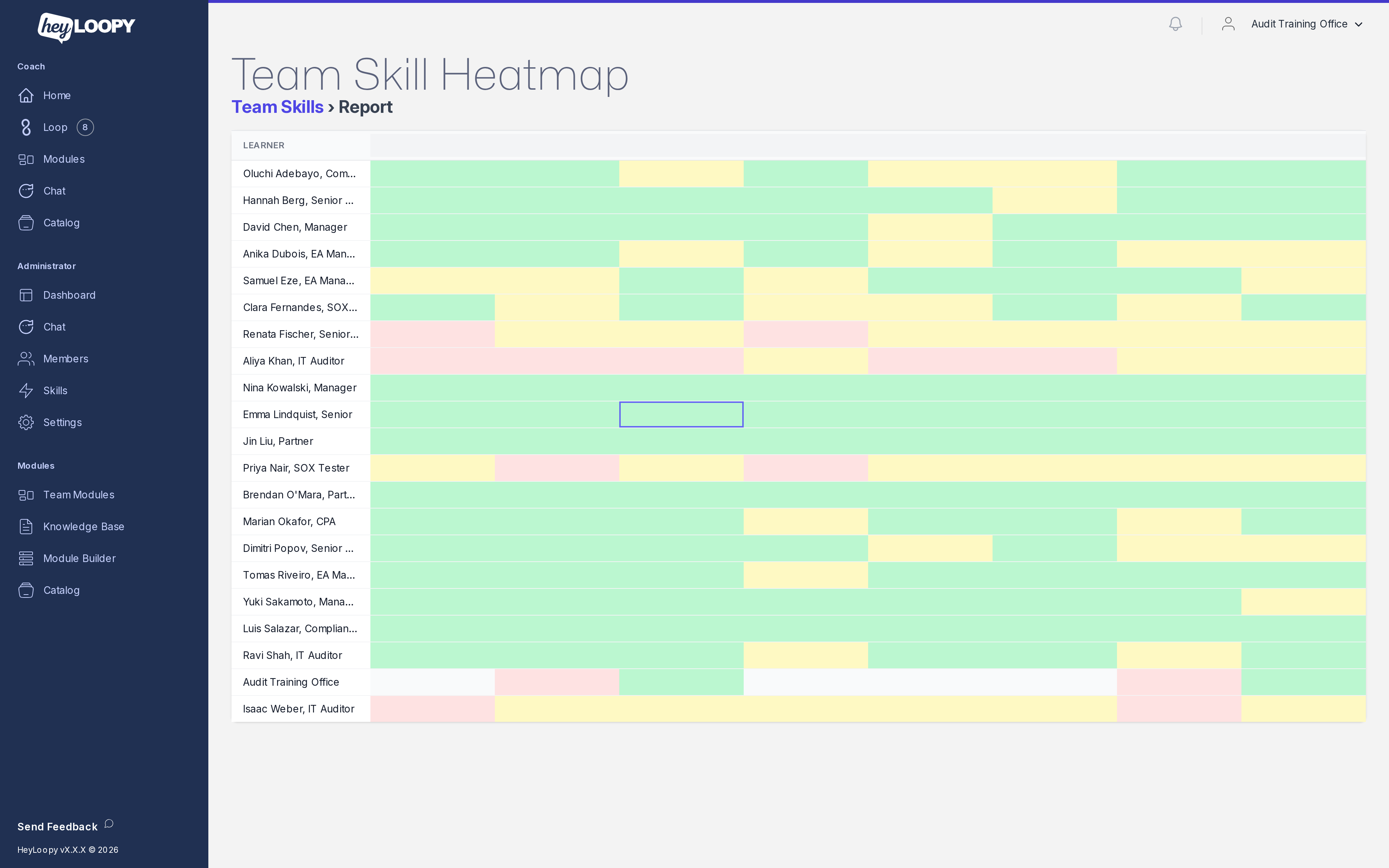
All skills, all roles — the heatmap

Rows are the people on your team. Columns are the skills (topics, SOPs, procedures) you've drilled. Cells are color-coded mastery percentages.

Use it when you need to find: where is the team collectively weak? Who is the intervention candidate this week?

heyloopy.com/admin/team-skills
HeyLoopy team skill heatmap: every learner down the side, every skill across the top, each cell colored by mastery level.
View 02

One skill, drilled down

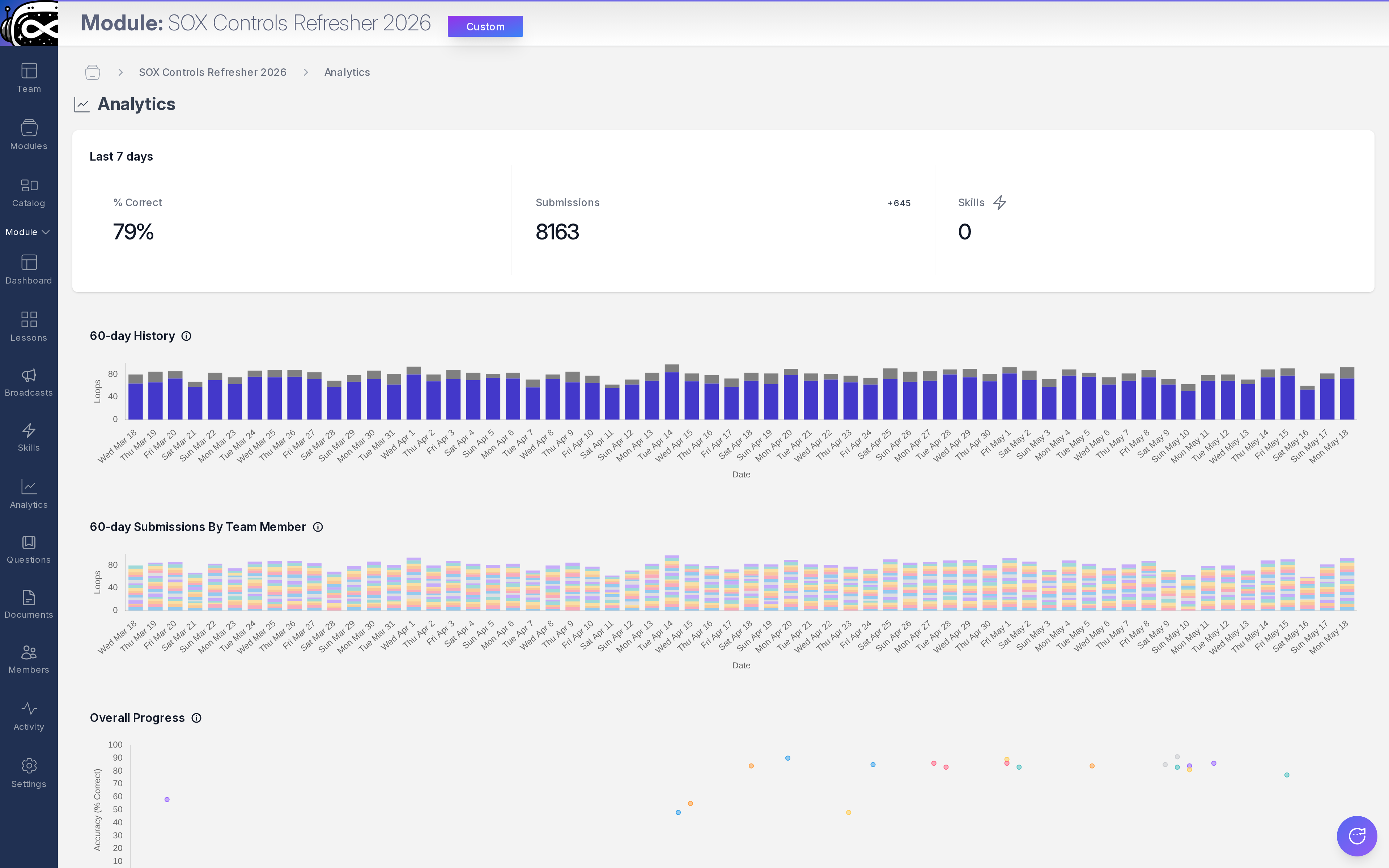
Per-learner mastery on one specific skill, plus the weekly accuracy trend across the team. The "is this skill landing?" answer.

Use it when a specific policy or procedure just updated and you want to see whether the drill set is reaching the right roles.

heyloopy.com/admin/skills
HeyLoopy single-skill view: per-learner mastery on one skill with a weekly accuracy trend.
View 03

One learner, full profile

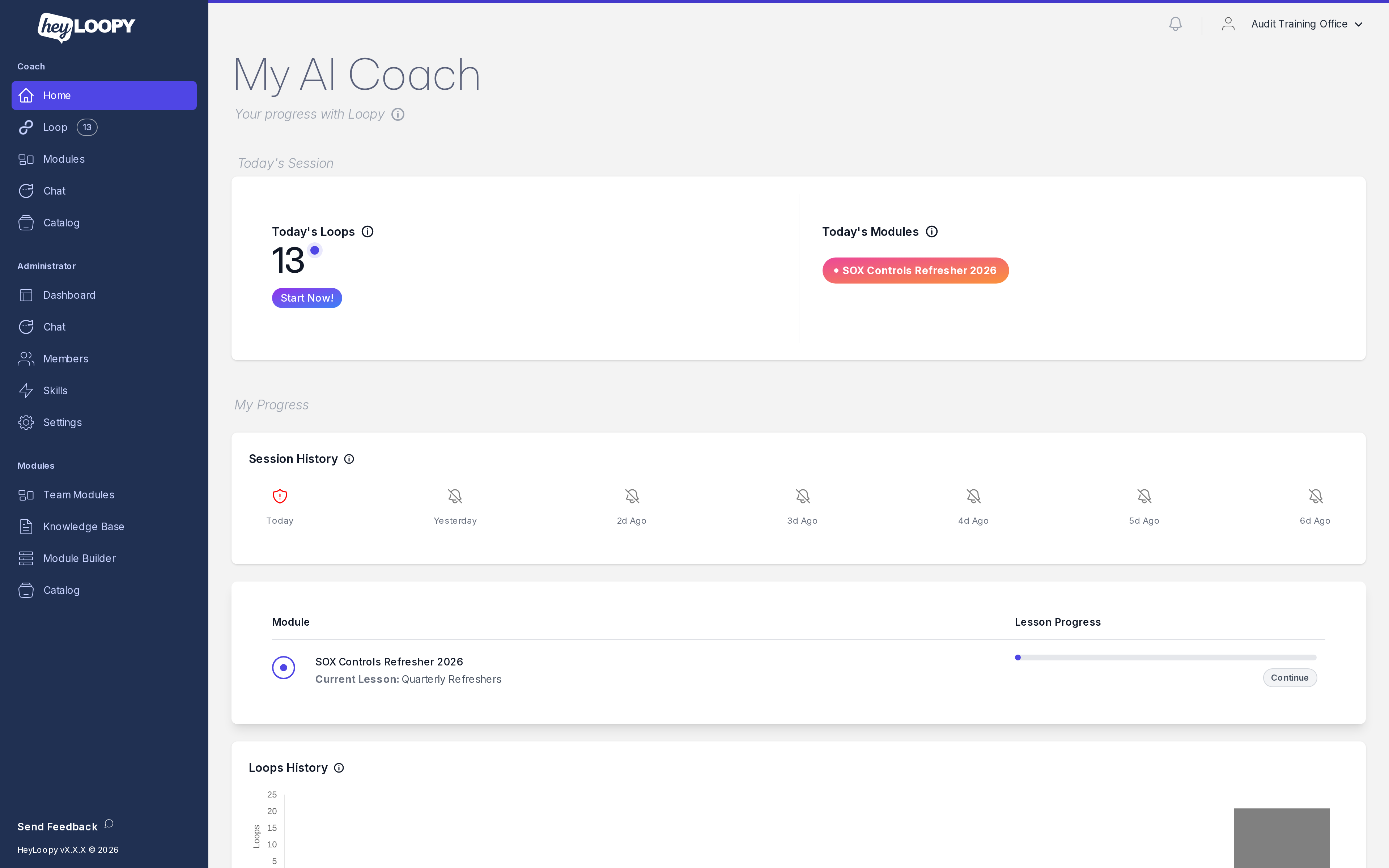
Every skill that learner has touched, total submissions, mastery percentage, last activity timestamp.

Use it for one-on-ones: where is this person strong, where do they need a refresher, when did they last engage?

heyloopy.com/admin/learner
HeyLoopy per-learner profile: every skill the learner has touched, submissions, mastery, and last activity.
§ 03 · The decision loop

A simple weekly habit.

Monday

Open the heatmap. The eye goes to red cells first. Pick one weak column and one intervention candidate.

Tuesday

If the weak column is a real gap (not a measurement artifact), edit the underlying module. The regenerated drills are ready in minutes; the team sees them in their next morning drill.

Wednesday-Friday

Daily drills run. The team gets 60 seconds each, on a phone, no app. Mastery numbers move.

Monday again

Re-open the heatmap. The intervention candidate's row should be moving up. The weak column should be greening. Repeat.

That's the entire admin workflow. The five-minute test (drop a doc, get a drill set, assign) gets you to the first cycle. Subsequent cycles are mostly automatic.

§ Try free

The mastery dashboard, on one of your own SOPs.

Try the five-minute test

3 seats free · no card · first drill in five minutes